Showing posts with label writing data into a file.. Show all posts

Friday, 16 January 2015

File Structures - Java Program to create a new file and write data to it.


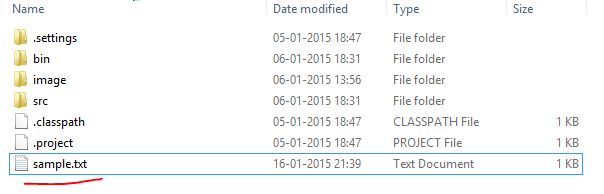
This is a Java Program which creates a  new file and writes data to it.

Here we use FileOutputStream class and OutputStreamWriter classes to write the data into the file.

PROGRAMS :
package codingcorner.in;

import java.io.BufferedWriter;
import java.io.File;
import java.io.FileOutputStream;
import java.io.IOException;
import java.io.OutputStreamWriter;
import java.io.Writer;

public class FileOpeningWriting {
 public void fileWriting() {
  try {
   
   File newFile = new File("sample.txt");
   FileOutputStream is = new FileOutputStream(newFile);
   OutputStreamWriter osw = new OutputStreamWriter(is);
   Writer w = new BufferedWriter(osw);
   w.write("Hello this is a sample file.");
   w.close();
  } catch (IOException e) {
   System.err.println("Problem writing to the file");
  }
 }

 public static void main(String[] args) {
  FileOpeningWriting write = new FileOpeningWriting();
  write.fileWriting();
 }
}

OUTPUT :


File Structures - Cpp program to create a new file and write some data into it.


This is a C Program which creates a new file and writes some data into it.

We will use a filestream classes to create a new file in write mode then we enter some data into it.

Then we read  that data until end of file is reached and place that data in the  file we just created.

PROGRAM :
#include <iostream>
#include <fstream>

using namespace std;

int main()
{
    char data[100];
    ofstream outfile;
    outfile.open("sample.txt");
    cout << "Write some text here !\n";
    cin.getline(data,100);
    outfile << data << endl;
    outfile.close();
    return 0;
}

OUTPUT : 


File Structures - C program to create a new file and write some data into it.


This is a C Program which creates a new file and writes some data into it.

We will use a file pointer to create a new file in write mode then we enter some data into it.

Then we read  that data until end of file is reached and place that data in the  file we just created.

PROGRAM :
#include <stdio.h>
#include <stdlib.h>

int main()
{
    FILE *fp;
    char ch;
    fp = fopen("sample.txt","w");
    printf("Write some text here !\n");
    while((ch=getchar())!=EOF)
        putc(ch,fp);
    fclose(fp);
    return 0;
}

OUTPUT : 


Now open sample.txt file in the directory where you saved the  c source file